Benchmark
Multi-Tenancy Benchmark
Capsule is a Kubernetes Operator that turns a single cluster into a shared, multi-tenant platform. Teams get their own isolated space: a Tenant. Within their Tenant they own namespaces, resource budgets, and policies. Cluster administrators maintain full control, while teams work autonomously without stepping on each other.
No custom Kubernetes distribution. No extra tooling your users need to learn. Just plain Kubernetes, made shareable.
Kubernetes namespaces provide a basic level of isolation, but they have no hierarchy. As soon as multiple teams or customers need to share a cluster, you face hard choices:
Capsule introduces the Tenant: a lightweight, cluster-scoped resource that groups one or more Kubernetes namespaces under a shared set of boundaries.
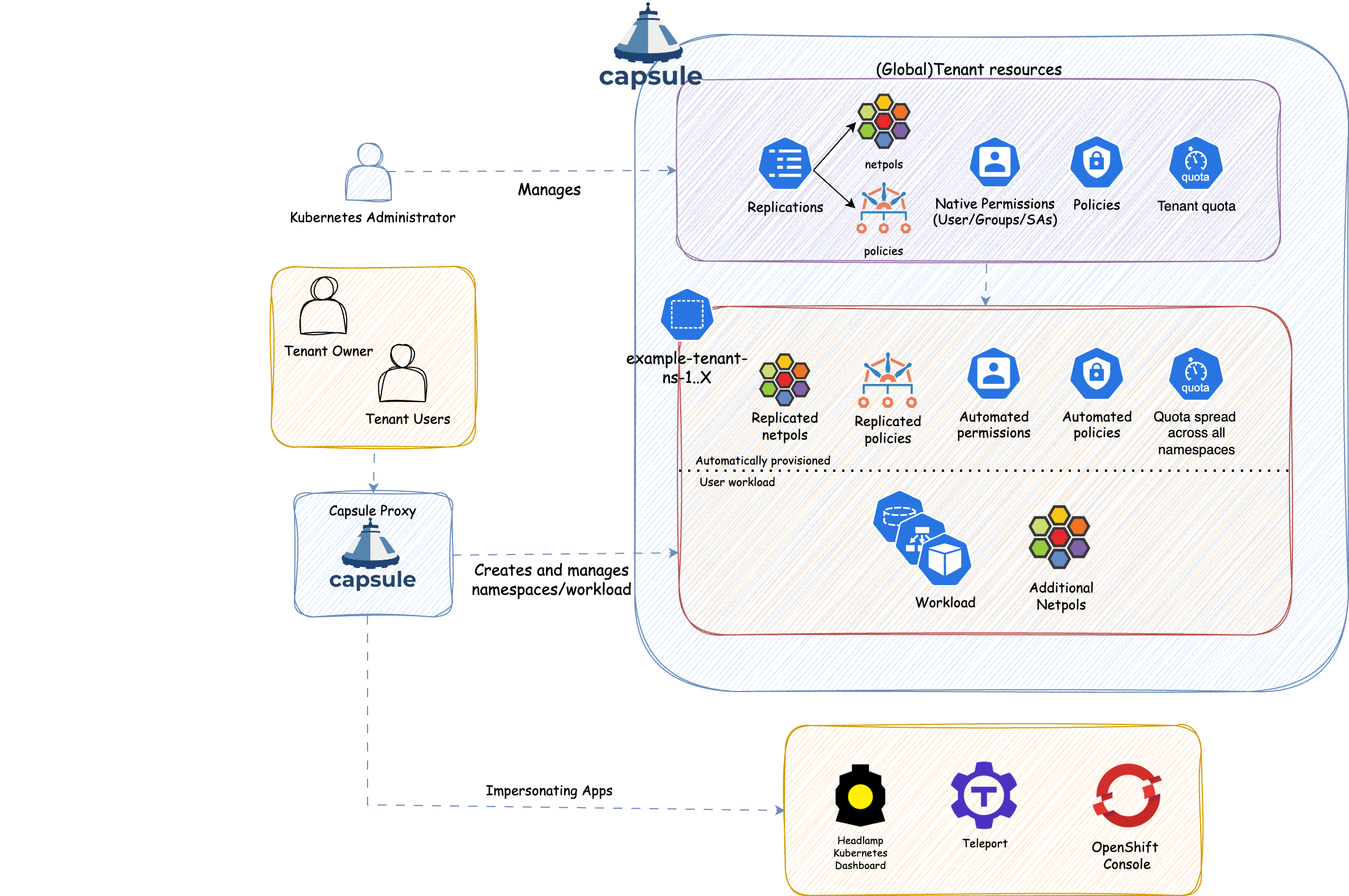
Everything defined on a Tenant is automatically inherited by all its namespaces:
| Role | Responsibility |
|---|---|
| Cluster Admin | Installs Capsule, creates Tenants, sets resource budgets and policies. Never a bottleneck for day-to-day namespace work. |
| Tenant Owner | Creates and manages namespaces within their Tenant. Assigns access to team members. No cluster-level permissions needed. |
| Tenant User | Deploys workloads inside tenant namespaces, within the limits the owner has set. |
This shift-left model means Tenant Owners handle day-to-day namespace operations themselves, freeing cluster admins from repetitive provisioning work.
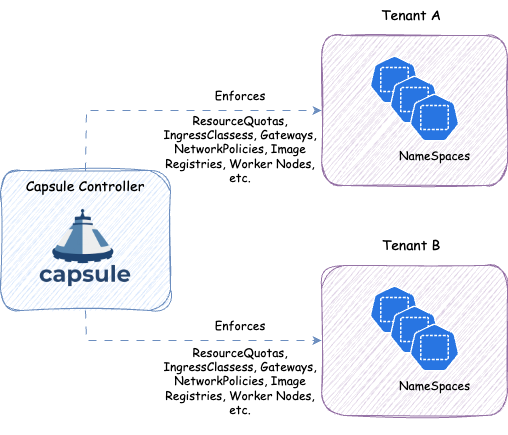
kubectl get namespaces and see only their own, without granting cluster-wide LIST permissions. Also works for other cluster-wide requests, like kubectl get pods -A, or listing Persistent Volumes that are used by a Persistent Volume Claim inside the tenant.The Capsule controller is a Kubernetes operator that continuously watches Tenant resources and reconciles the desired state across all namespaces that belong to a tenant. When a Tenant is created or updated, the controller automatically propagates the configured policies to every namespace in that tenant.
When a Tenant Owner creates a new namespace, the controller detects it and immediately applies all inherited policies. This means tenants are always in a consistent, compliant state — even as they grow.
Multi-Tenancy Benchmark